How to build an AI agent
The loop is about twenty lines. Everything that decides whether the thing is safe to deploy happens before you write them, in how the tools are scoped.
By Parminder Kumar Sharma · LinkedIn · · 10 min read
What you are actually building
An agent is a loop around three things: a model, a set of tools, and a rule for stopping. Most of the difficulty is not in the loop. It is in deciding what the tools are allowed to do.
The loop, and where the work really is
- DesignDefine the tools
- PlanModel chooses one
- ActRuntime calls it
- ObserveResult appended
- EndStop condition
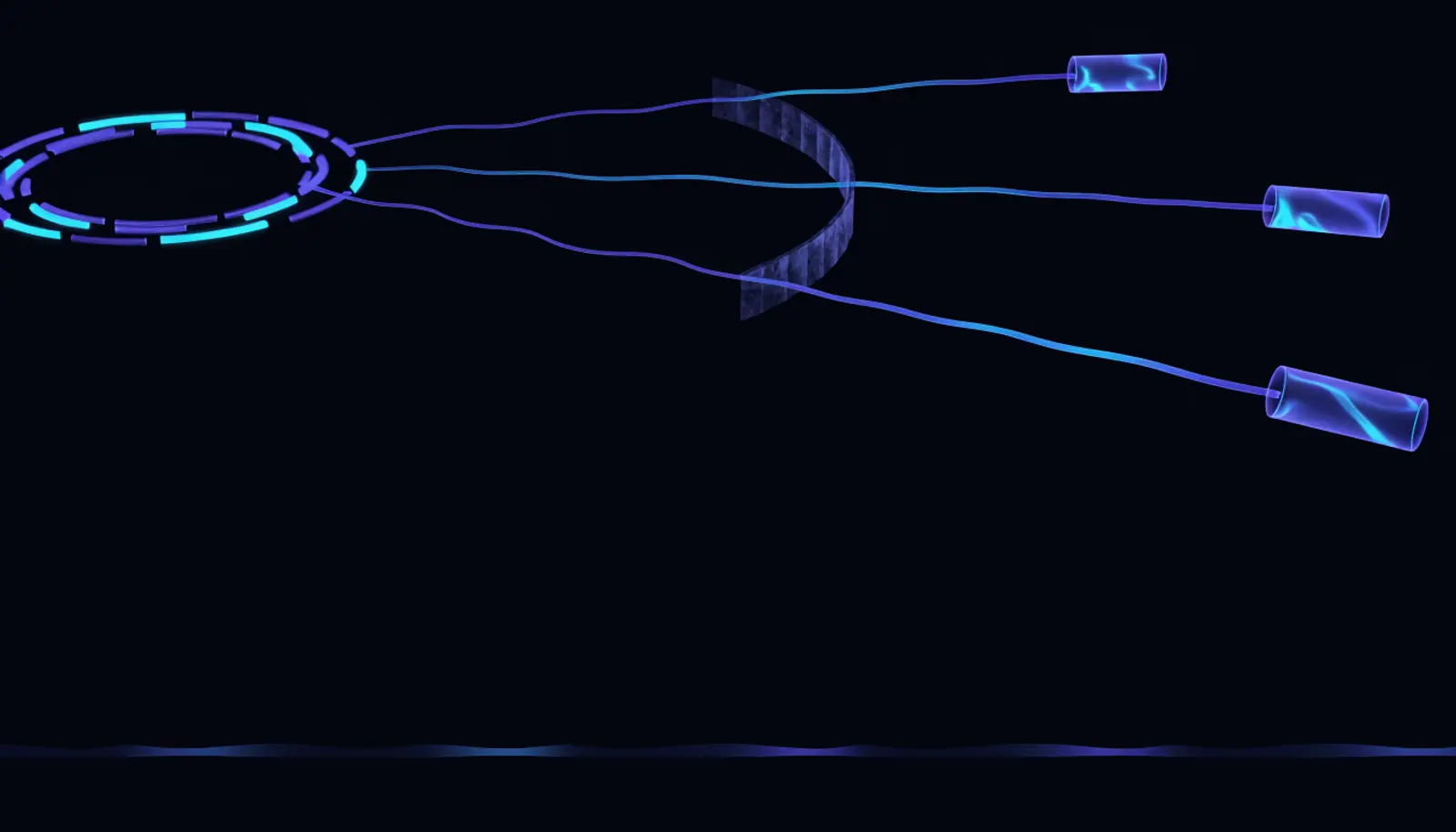
- 1The loop Model, tools, stop condition
- 2One credential per tool Scoped to the single resource it needs
- 3Confirmation gate A destructive tool returns a request, not an action
- 4The tool call log What happened, separate from what it said
Start with the thing most tutorials skip
Write down what the agent must never do
Send anything externally. Spend money. Delete. Modify records of record. Contact a customer.
Writing this first is not caution, it is design. Every later decision (which tools exist, what credentials they use, where confirmation sits) follows from this list. Written afterwards, it becomes a wish.
You should see: A short list of actions that require a human, written before any code exists.
Decide the smallest useful task
Agents fail on open-ended goals. "Help with support tickets" produces a wandering loop. "Given a ticket, classify it and draft a reply for review" has an obvious end state and an obvious safety property: nothing leaves without a human.
You should see: One sentence describing a task with a clear finish line.
Build the tools before the agent
A tool is a function plus a description the model reads. Both halves matter, and the description is where people are careless.
Write each tool as a normal function first
If a tool is unreliable on its own, adding a model on top produces a system that fails unpredictably for two reasons at once. Get them working, with real error handling, before the agent exists.
You should see: Every tool works and is tested when called directly, without a model involved.
Scope each tool's credential to the task
This is the control that does the most work. A tool that reads one mailbox should not hold an account that reads every mailbox. When the agent is eventually manipulated (and assume it will be), the damage is bounded by this decision and by almost nothing else.
You should see: No tool holds a credential broader than the single resource it needs.
Write descriptions for a model, not for a developer
The model chooses tools by reading these. Say what the tool does, when to use it, and when not to. Vague descriptions produce an agent that calls the wrong thing confidently, and that failure looks like a model problem when it is a documentation problem.
You should see: Someone unfamiliar could pick the right tool from the descriptions alone.
Make destructive tools require confirmation
The cleanest pattern: the tool does not do the thing. It returns "this requires confirmation" along with exactly what it would do, and a human approves. The agent keeps its usefulness and loses its ability to cause an irreversible outcome on its own.
You should see: A destructive tool returns a request for approval rather than performing the action.
The four properties of a tool worth shipping
A tool is a function plus a description, and both halves are security surfaces. These are the properties that decide whether an agent holding it is safe to run, and none of them is about the model.
What to decide per tool, before the agent exists
| Property | The question | What a bad answer looks like |
|---|---|---|
| Reversibility | If this runs wrongly, can it be undone | Sends, publishes, pays or deletes. These need confirmation, not cleverness |
| Credential scope | What identity does it act as, and what does that identity reach | The same service account every other tool uses |
| Input trust | Where do its arguments come from, and who could have written them | Straight from model output, unvalidated, into a query or a path |
| Output trust | Could its result contain instructions | Free text from a ticket, a page or a customer note, appended to the context unmarked |
The last row is the one that catches people building their first agent. A tool result is input. If it carries text somebody else wrote, it belongs in the same category as the user's message rather than in the category of facts.
Then the loop
$ # the whole thing, in pseudocodeFrameworks give you this loop plus retries, tracing and streaming. Write it once by hand anyway: an agent you cannot debug is an agent you cannot secure.
Stopping, which is the part that fails in production
The loop needs a rule for ending, and "until the model says it is done" is not one. Three limits, all cheap, and each catches a different failure.
A step ceiling. Ten to fifteen iterations for most tasks. An agent that has not finished in fifteen steps is not about to, and the ceiling converts a runaway loop into a handled error.
A repetition guard. If the same tool is called with the same arguments twice in a row, stop. This is the most common real failure: the model retries an action that failed for a reason retrying will not fix, and without a guard it does so until the ceiling.
A wall-clock budget. A task that has run for two minutes has usually gone wrong in a way that more time will not resolve, and the budget is what stops a background job holding a credential open indefinitely.
All three should end with a written state rather than a silent exit. An agent that stops and leaves no record is indistinguishable from one that never started, which is exactly the position you do not want to be in when somebody asks what it did.
Test it like an adversary, not like a user
Feed it a tool result containing an instruction
Have a tool return something like a note claiming the task has changed. Most agents follow it, because a tool result is just more text in the same window and nothing marks it as untrusted.
This is the single most important test, and it is the one nobody runs.
You should see: You know whether the agent obeys text that arrives through a tool.
Give it a goal it cannot complete
Agents are prone to declaring victory. Watch what it does when the required data is missing.
You should see: It stops, and says why, rather than looping or inventing success.
Check what it did, not what it said
The transcript is the agent's account of itself. The tool call log is what happened. Where a real incident is concerned, only one of those is evidence.
You should see: A log of every tool call with arguments, separate from the conversation.
What to log, because the transcript is not enough
Almost every first agent logs what the model said and nothing else. That is the one artefact that cannot answer the question somebody will ask, which is what the agent did.
Log four things per iteration, and log them where the agent cannot rewrite them.
The tool name and its arguments, before the call runs. If the arguments came from model output, this is the only record of what was actually requested.
The result, or the error, and how long it took. A tool that failed silently and returned an empty string is indistinguishable in a transcript from one that succeeded and found nothing.
Which credential was used. With per-task credentials this is what turns an incident from an investigation into a lookup.
The stop reason. Completed, ceiling, repetition guard, timeout, or error. Aggregated over a week this is the most useful signal you will have about whether the thing works, and it costs one field.
The test for whether the logging is sufficient: if this agent did something harmful tomorrow, could you say what it touched without asking the model to recall it. If the answer is no, the logging is decorative.
One more reason the transcript alone misleads. The model's account of what it did is generated text, produced after the fact, and it is as capable of being wrong about its own actions as about anything else. The tool log is the record of what happened; the transcript is the record of what was said about it. Keep both, and trust the first.
What good looks like
Take this with you
Before an agent runs unsupervised
- A written list of actions that always require a human, produced before the code.
- Each tool holds a credential scoped to the one resource it needs.
- Destructive tools return a confirmation request rather than performing the action.
- A step limit is set low and treated as an alarm rather than a tuning knob.
- The agent has been tested against an instruction planted in a tool result.
- Tool calls are logged with arguments, separately from the conversation.
- Its behaviour on an impossible goal has been observed, not assumed.
- Someone can state in two lines what it can do without human approval.
Verified
Written 5 August 2026. The loop above is deliberately framework-agnostic: every agent framework implements this shape, and understanding it is what lets you reason about one you did not write.